Posts

Showing posts with the label Suse

At Work with Linux: openSUSE 12.2 + Cinnamon on a Latitude E6510

Image
I've been spending far too much time with this over the weekend, but then, I figure why not. This is one of the few times I can install Linux distributions with impunity. So I grabbed a DVD ISO of the latest openSUSE, version 12.2. Funnily enough I installed the Gnome 3 desktop (Gnome 3.6 according to the openSUSE site) rather than the KDE desktop. After messing with the latest Gnome 3 desktop while I had Fedora running I actually liked the underlying technology, if not the visible implementation. When openSUSE finished installing I found I liked it's implementation a bit more than Fedora's, primarily for such little touches as a computer shutdown entry on the far upper right drop-down user menu. In the end I would up installing Cinnamon 1.6.1 as my desktop. I would have done the same under Fedora 17, something I'd already said I would in an earlier post. With Cinnamon I finally have a desktop with a minimal touch that reminds me a bit of the Metro desktop and Go...

Penguin Power

Image
There's an place at the intersection of East Colonial and North Ferncreek called Ice Cold Auto Air . They've been there so long (since 1964) they've become something of a landmark. Right under their sign they have this heavily customized VW minibus which has been painted up in various color schemes for years. Recently it was given yet another paint job and given something of a name. It's now called "Penguin Power." It looks all cute and interesting from the outside, but a quick peek into the interior tells a slightly different tale. The panels are missing from inside the doors. The dash had been reconstructed from "home brew" materials, and spray painted interesting shades. Wires dangle from beneath the dash and some feed directly through the front sheet metal to the lights outside. Some of the interior material is torn, exposing yellow filler foam. The interior looks like it's usable, but it's definitely not the kind of vehicle you...

At Work with Linux: Ubuntu 11.10, Linux Mint 12, Fedora 16

Image
I spend some time in the lab this morning tidying up the VMs. As I wrote about earlier I deleted the VM devoted to OpenSUSE. After that I started up my baseline VMs for Ubuntu 11.10 and Linux Mint 12, ran the updates, performed some simple checks, then put them back on the shelf for cloning. Updates to Ubuntu have, for the most part, been without drama. Updates to 11.10 are equally without drama. The updater for Ubuntu performed its task flawless. When finished I rebooted the VM to check that it at least started correctly. I've had a question about whether the distributions would keep up with the Firefox release schedule. The answer is a good news/bad news kind of answer. The good news is that yes, Ubuntu (and Linux Mint below) do keep up with Firefox, at least up to 9.0.1 in both of these. The bad news is that Firefox 10 has been released, and it's landed on all the Windows boxen and VMs in the lab. The only Linux distribution that is fully up to date is Fedora 16 (s...

At Work with Linux: A Failure to Update OpenSUSE 12.1

Image
Back in early December I installed OpenSUSE 12.1 as a VMware virtual machine hosted on Windows 2008. At that time I'd written that I'd installed Chrome from the Google repository, and wondered if it would automatically and independently update like it did for all the other distributions I'd installed the Google version on. As fortune would have it I was overwhelmed with end-of-the-year work and the holidays, and forgot all about it. Then, every so innocently, someone asked in the comments of the December post if Chrome had auto-updated. So I went back into the lab, fired up the VM, and decided to check and see if the installation would update, and what parts would update. The update started off automatically and innocently enough. Because the VM had been off since I finished the installation, there were some sixty-plus updates sitting in the queue. Which, when expanded, showed "132 packages to install" and "110 packages to update". Hidden in plain ...

At Work with Linux: Looking Around OpenSUSE 12.1

Image
OpenSUSE 12.1 64-bit with Marble Virtual Globe 1.2.2 One reason OpenSUSE is installed is as a platform for Marble Virtual Globe. Marble comes fully installed with OpenSUSE 12.1. I've been working to have it interpret Google Earth KML that another application in the lab generates so that Marble can be an alternative to Google Earth (but not replace Google Earth). Google Earth, Nasa's World Wind , and Marble Virtual Globe are the three primary earth visualization tools we are interested in. In addition I finally installed Google Chrome on this system. That turned out to be more of a trial than I was expecting. It started when I downloaded the Google Chrome RPM for Fedora/OpenSUSE. I tried to install the RPM immediately after I downloaded it, but installation failed because OpenSUSE 12.1 wasn't LSB 4 or later compliant. I then turned to the repositories. From the repositories you can either install Chromium or Chrome. Chromium stands at beta version 17, while stable C...

At Work with Linux: OpenSUSE 12.1 and VMware Player 4.0.1

Image
After the surprising installation failure with Linux Mint 12, I moved on to OpenSUSE 12.1, 64-bit. It turned out to be a straight-forward installation, reminiscent of all the other OpenSUSE installations I've conducted in the past. Whereas Linux Mint (and Ubuntu) now hew to a very simplistic installation experience, OpenSUSE stays with their unique highly detailed and highly refined installation system. Normally I try to stay away from bunches of intermediate screen shots, but I've included these few for those who might be interested. OpenSUSE has always been professionally oriented, going back to when it was just plain old SuSE. To the novice it may appear to contain a lot of overwhelming information, but it's the kind of information you actually need, and quite frankly should read at least once. I chose KDE because of it's continuing evolution and because OpenSUSE is primarily a KDE distribution, in spite of Novell's attempts when it first purchased SuSE to ...

At Work with Linux: openSUSE 11.4 and Marble Virtual Globe 1.0.0

Image
One reason for installing openSUSE 11.4 as a virtual machine in the lab was to serve as a platform for Marble . I'd been introduced to Marble via Marble-in-a-Box , and I've been impressed with it ever since. I'd been introduced to Marble by another engineer at the office. We were part of a small three-man team working on a SOA-based system for tying together live systems, virtual trainers, and constructive HLA federations in order for them to interoperate. As part of the design, I'd implemented a platform-neutral view of the data being shared amongst the participants. To prove to everyone, including ourselves, that we really were handling all this common data, we decided to display the data via some 3D visualization tool. We limited our search to visualization tools that could show our data as an overlay over the skin of the earth with a minimum of hassle. In the end we elected to use Google Earth, and convert the data into KML, providing access via a web service. ...

At Work with Linux: openSUSE 11.4, VirtualBox 3.2.12, RHEL 6

Image
openSUSE 11.4 was released 10 March. The last action I started before heading home the following weekend was to start downloading the DVD ISO. When I came back to work the following Monday I burned it to DVD and installed it under VirtualBox 3.2.12. openSUSE 11.4 running in VirtualBox, hosted by RHEL 6 SuSE, among all other Linux distributions, holds a special place in my heart. I'm not going to write a "10 reasons" screed about it, but I will admit having a strong bias towards it, warts and all. With everything else going on right now I had barely enough time to install an instance under VirtualBox and fire it up just to kick the tires. The very first feature I noticed: openSUSE 11.4 installed out of the box fully operable with VirtualBox. I didn't have to install VirtualBox's Guest Additions. And that's going to be very helpful going forwared with openSUSE 11.4, especially when openSUSE updates come out for the kernel. Every other Linux distribution ...

Be careful what you ask for

Image
Remember just four years ago, when Novell entered into the now-infamous joint patent agreement with Microsoft? Remember the hue and cry that went up to boycott Novell? So that Novell would be driven out of business, and thus punished for entering into that "evil" agreement with the enemy? Well, guess what. It looks like all those righteous free software folks are going to get their wish. Novell entered into an agreement with Attachmate to be acquired by Attachmate for roughly $2.2 billion. And along the way it sold over 800 patents to a consortium led by Microsoft for an additional $450 million. Not bad for Novell. But not too good if you're wondering what impact this may have on Linux. You see, earlier this year the courts established that it was Novell, not SCOG, that owned the intellectual property to Unix. For all you free software elites, let that critical fact sink into your thick skulls for just a moment. You all decided to punish the very company that liter...

Ten Reasons to Ignore Ten Reasons to Dump Windows and Use Linux

There is a tradition amongst the hard-core Linux aficionados to extol Linux's various virtues as a list of 10 or more reasons to substitute (as in "dump") an existing Windows installation with Linux. There's no reason to point them all out; a simple Google search (" 10 reasons to use Linux ") will provide you with such lists stretching back through the years, as well as hours of entertainment. One very recent list caught my eye over the weekend, published by PCWorld. Their article, " Ten Reasons to Dump Windows and Use Linux ", seems to have hit a nerve with me. Normally I just ignore such journalistic pap, since the majority of it comes courtesy of one ill-informed blog or another (such as this one). But in this instance a "real" publication put some time and journalistic "credibility" into this list, which places it in front of a wider audience than the typical blog poist (again, such as this one). So let's consider al...

At Work with Linux

Image
It's been a long time since I've bothered with Linux, at least for home use. Work use is a different story. At MITRE we use Linux extensively because our customers and partners use it. The MITRE office is essentially OS agnostic; we don't care what they use, as long as it's the right tool for the job. So far Linux, specifically Redhat Linux, has proven itself fit for the tasks it is called upon to perform. The local MITRE lab in Orlando is organized around six Dell 690 workstations  (no longer manufactured), each outfitted with one quad-core Intel Xeon 5140 and 32 Gb of memory. Two of those machines have  Red Hat Enterprise Linux (RHEL) 64-bit Server 5.5 installed while the other four have RHEL 64-bit Client 5.5. Because of the wealth of memory on each workstation I've also installed VirtualBox on every one. Through VirtualBox I've been able to install additional Linux and Windows XP virtual machines across all of them. As a consequence I've been able to...

Christmas 2009

Image
I had a great three weeks with the whole family back in town. It was a shame to have to see everyone scatter back to school, but that's life. The tree this year was all "grown up"; white lights with red and white ornaments supplied by IKEA. In the past the tree would have been lit up with multi-colored lights and equally multi-colored ornaments. While Megs was home, I went to the local Apple store and purchased Snow Leopard. What was so nice about the Apple store staff person we talked to was his laid-back honesty. I was ready to buy the 'family' version (five licenses) when he told me that I could upgrade our two Macs with the single license version. The key reason being that Mac OS-X doesn't ask for a license key like Windows does. We'd already purchase an iMac and Macbook from them over the past few years, so they didn't see us as shifty-eyed pirates bent on ripping off Apple. While it only saved us $20 ($30 vs $50), it was the really decent way we ...

Fedora 11 beta on europa

Image
In spite of swearing off (and swearing at) Linux (especially openSUSE 11.1), I downloaded Fedora 11 beta, burned a CD on the Windows XP side, and then booted trusty old europa into Fedora 11. The primary reason is I have a lot of material on the Linux partitions that I need to back up, and I had heard that with Fedora 11 I could once again look at all existing Linux partitions including everything under /home. One of my biggest complaints in the past was that at some point somebody decided that allowing the viewing, let alone mounting, of home partitions was Not To Be Allowed for Security Reasons. Right. With Fedora 11 you can mount everything, including home, and see everything. I was even able to su to root and modify files on those forbidden file systems as well. All in all, from a rescue standpoint, Fedora 11 beta was very useful. I'm sure someone somewhere will note this and consider this feature to be a bug and 'fix' it so it won't work on release. It always seems...

End of the line

I'm pulling the plug on openSUSE 11.1, and in the process, on Linux in general as a home system. I've been a Linux user for 15 years, but the last two (since mid-2007) have been a rapid fall of the cliff with regards to deteriorating quality and usability. What will I use going forward? Windows (XP and 7) and OS X. What finally pushed me over the edge? A one-two punch of KDE 4.2 and a kernel upgrade. When I first installed openSUSE 11.1 I was reasonably happy, especially with KDE 4.1.3. It was fast and stable, if still a bit incomplete, on europa. I was happy. Then I made, what I see in hindsight, as the fatal mistake of upgrading to KDE 4.2. Desktop performance went from reasonably snappy to slow, and at times, down-right lethargic. The desktop themes I enjoyed and appreciated were replaced or changed. The analog clock went from being simple and attractive in 4.1.3 to gawdy and ugly in 4.2, much like the themes themselves. For example, with regards to the analog clock, I would...

More updates

Image
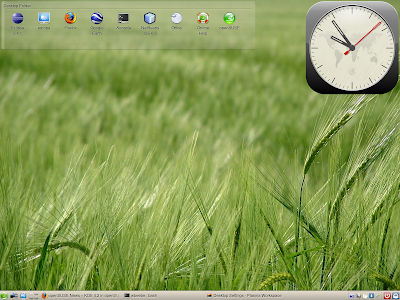
openSUSE 11.1 Just as I'd threatened to do a few posts back, I upgraded my openSUSE 11.1 installation's KDE desktop from 4.1.3 to 4.2. Upgrading was simple enough with a one-click link . However, once I completed the upgrade and installation of new packages I could not log out. I had to go to a terminal screen ([Ctrl][Alt][F1]), log in as root, and reboot the system. I could have probably just killed the X session, but but I figured I'd just nuke everything and come up completely clean. Once it came back up the first thing I noticed was the complete change of desktop themes. Many are gone and those few that are left have changed. My favorite, Elegance, now has a very busy clock face. I really liked the ultra-simplicity of the clock in the older version. The default desktop theme is Aya, which is the first desktop capture you see below. The new Elegance follows. A personal nit has been fixed. The Desktop panel scales and flows its contents the way you expect, and in real tim...

Updates

I've gone through a series of notable hardware and software updates so far this year, and it's barely February. In no particular order: Dell D630 Memory Update I upgraded the D630 from 2GB to 4GB (2 x 2GB sticks) for a mere $70 total from Dell itself. This was for the company notebook. By the time Windows is up and running I can only 'see' 3.5GB, but it's worth it, and if I need all that memory I can swap around my hard drives and run Fedora 10. I run Widows XP SP3 primarily. Windows applications include Google Chrome, Google Earth, Visual Studio 2008, NetBeans IDE (6.5 and 7.0M1), Eclipse (3.4.1 and 3.5M5), as well as Office 2007 and Visio 2007 professional. And then there are other project-specific applications (EventStudio System Designer, for example) and testing applications before deploying. It's not unusual for me to hit 1.5GB with everything up in a normal day-to-day workflow, and I was not happy to hit swap on this notebook. So I bumped up memory and ev...