Posts

Showing posts with the label Gnome

ubuntu 13.10 + windows 8.1 + vmware player 6.0.1 = success

Image
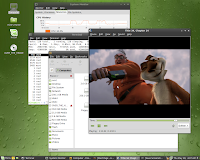
Ubuntu Gnome (Gnome 3 + Ubuntu 13.10) Last night my copy of VMware Player 6 automatically updated itself to version 6.0.1. In the process the VMware Tools that are installed on the various virtual machines were also updated, in particular those for the latest Linux distributions such as Ubuntu 13.10. Under VMware Player 6 the shared directory kernel module failed to compile . Under 6.0.1 the module successfully compiled, installed, and executed, allowing my Share directory on the Windows 8.1 host side to be seen. And of course, as I reported earlier after repairing the version 6 installation , networking out of the VM into the outside world is working just fine. Gnome 3 showing some of its hidden capabilities As the picture captions note, this is Ubuntu Gnome , a distribution built up from Gnome 3.8 and Ubuntu 13.10 . This combination has resulted in a stable and pleasant distribution. I find it somewhat amusing that two of the more controversial desktops (Gnome 3 and Unity...

At Work with Linux: Back to Fedora 17 and WiFi Now Works

Image
Well, I'm back to Fedora 17. I've learned a lot these past two days, and I managed to get WiFi working. You know what the problem was? Are you ready for this? Are you sitting down? The bloody external switch was off. Yes, off. When I bothered to look at the side of the notebook and saw the state of the switch I could have screamed. I had basically forgotten that it was even there. I looked at my E6510 that runs Windows 7 Enterprise, and yes, the switch enables WiFi. And of course it works. But the switch on the side of the E6510 I've been installing various Linux distributions on, it was disabled (red showing on the switch). As soon as I turned it on the WiFi icon changed state on the panel. And it found all the local WiFi hotspots. And I was able to log in just like I log in for every device in this house, from Windows notebook to Apple Macbook to smartphone and all the various Barnes & Noble tablets. And WiFi under Fedora 17 on the E6510 with Centrino 6300 WiFi ...

Getting Stomped by Little Gnome Feet

Image
Well, I gave it the old college try and tried to create an up-to-date Mono development environment on top of my aging Fedora 14 installation. I should have know better , considering how many times in the past I've beaten myself bloody with some specific feature of Linux. It all started innocently enough. I cloned a copy of Mono from their git repository and built it without any issues. I wrote a number of increasingly complex C# applications to test the compiler and runtime. No problems were encountered. But I noticed I couldn't compile or run any GUI applications. Complimenting that was a lack of MonoDevelop 3 , the Mono/C# development IDE. When I started to dig into how to build and run that particular tool, I ran into problems. Fedora 14, released November 2010, is running Gnome 2.32. Fedora 14 is the last Fedora release to run Gnome 2. Fedora moved to Gnome 3 starting with version 15, and that's one important reason why I stayed with Fedora 14 and continue to stay ...

At Work with Linux: Fedora 17 KDE

Image
I installed a second instance of Fedora 17 this time with the KDE desktop just as I had threatened to do yesterday. Same M.O.: a virtual machine instance using VMware Player 4.0.3 on a RHEL 6.2 host. This time the installation ran without a hitch. Just like Fedora 17 Gnome I had to install from the live desktop ISO then add gcc and kernel-devel. Perl was already a part of the installation. With the basic tools in place I installed the VMware extensions which allowed for seamless integration of the virtual desktop with the host's desktop. As usual I also added google-chrome-stable to pick up Google Chrome 19. The KDE 4 desktop is the absolute antithesis of the Gnome 3 desktop, to the point where I wished some of the Gnome 3 austerity would rub off on KDE. But I'd rather have too much than Gnome's too little, so I'm willing to leave well enough alone and be very very careful what I wish for. As you can see above the desktop framework has plenty of 3D styled effects a...

At Work with Linux: A Little Further Digging into Ubuntu

Image
Three instances of Google's Chrome on the Unity desktop Those three instances in tile layout after clicking the Chrome icon in the Unity launcher In digging a little further into how Ubuntu 11.10 works, I installed Real Google Chrome. I then used Chrome to create a shortcut to Oracle Java on the desktop (via Wrench | Tools | Create Application Shortcuts), then experimented a bit with the results. If you're not familiar with Google's browser "applications", know that when Google's Chrome creates a shortcut to a web page, on execution (double click the shortcut on the desktop) the shortcut launches Chrome as an application without any of the tabs or other decorations present on the regular Google Chrome browser. For those who are used to multiple tabs in one browser instead of multiple browser instances on the desktop this behavior can be somewhat surprising. Unit's left-side launcher provides nominal visual feedback as to what is going on. In t...

At Work with Linux: openSUSE 11.4 and Marble Virtual Globe 1.0.0

Image
One reason for installing openSUSE 11.4 as a virtual machine in the lab was to serve as a platform for Marble . I'd been introduced to Marble via Marble-in-a-Box , and I've been impressed with it ever since. I'd been introduced to Marble by another engineer at the office. We were part of a small three-man team working on a SOA-based system for tying together live systems, virtual trainers, and constructive HLA federations in order for them to interoperate. As part of the design, I'd implemented a platform-neutral view of the data being shared amongst the participants. To prove to everyone, including ourselves, that we really were handling all this common data, we decided to display the data via some 3D visualization tool. We limited our search to visualization tools that could show our data as an overlay over the skin of the earth with a minimum of hassle. In the end we elected to use Google Earth, and convert the data into KML, providing access via a web service. ...

At Work with Linux: Linux Mint 9 Gnome and KDE

Image
RHEL 5 VM running on RHEL 5 host. One of the nicer features about the office lab is the fact we have a number of still-powerful workstations on which to run various operating systems. We've chosen to run Redhat Enterprise Linux (RHEL) as the primary host operating system on every machine we have, which consists predominantly of Dell Precision 690's outfitted with a single quad-core Xeon (2.4GHz E5345) processor and 32GB system memory. These are not exactly what you would call "home systems". A current home system might have half the memory these workstations have, although 4GB is still considered the norm. And the Xeon E5354, while somewhat "out of date", can nevertheless support a more-than-decent computational load when called upon. One of the benefits of all this horsepower coupled with all this memory is the ability to run virtual machines on the workstations. For that, we've chosen to install Oracle/Sun's VirtualBox (currently at version...

Gloria

Image
Downloaded Linux Mint 7, Gloria , and booted it on europa. Ran some quick tests and found it to be solid, as solid as Linux Mint 5 and 6. It's amazing it runs as well as it does directly off the Live CD; Flash, DVD playback, MP3, AVI, and MOV playback are but a few of the working features of Gloria. One regression I found concerns playback of a MP4 file I ripped using VLC under Ubuntu 7.10. It has played without issue up until this release. Another regression occurs when running glxgears. While there appears to be excellent performance, the OpenGL canvas that is the center of the application does not stay integrated with the window decoration on the desktop. Dragging glxgears around the desktop leaves copies of the canvas where the application was dragged from. This isn't an issue with Linux Mint so much as it's an issue with the current AMD/ATI video driver. I'm disappointed to find those regressions, but those are not show stoppers. For the limited use to which I'...

A hard time with Ubuntu 8.04

It's still officially a beta at this point and I've been religiously applying the updates when they show up. Fortunately, this time around, none of the updates have forced me to reinstall Ubuntu like I had to the last time. But that still doesn't mean the adventuring is over. No, not by a long shot. Where do I start? Let's begin with the missing menu link to displayconfig-gtk, otherwise known as "Screen and Graphics Preferences." The application, which was first noticed with Ubuntu 7.10 , can be found under 7.10's System | Administrative | Screens and Graphics. But not, it would appear, on Ubuntu 8.04. It had migrated to Applications | Other for a while, then in the last update, it simply disappeared from any of the menus. Even looking in Gnome's very week menu management tool "Main Menu" (under System | Preferences) doesn't turn it up. There are times when applications, such as Gnome's Control Center (which is also under System | Pre...

Nokia to buy out Trolltech

I'm a commercial user of Trolltech's Qt on Windows. I got this in the inbox today: 28 January 2008 Dear Customer, Today, Nokia has made a public tender offer for all the shares in Trolltech. We think this is great news for both you and us. In Trolltech, we have for a long time had a vision of “Qt Everywhere”. Being acquired* by Nokia, we will continue to provide you with the most advanced cross-platform software framework for desktop and devices in the market. There will be further investments in Qt and Qtopia and an even better long-term security in your decision to choose Trolltech for your business. We are confident that with Nokia we can accelerate our cross-platform software capabilities and grow Qt and Qtopia significantly in desktop and mass-volume device markets. The plan is that we will continue our current organizational setup, operating inside Nokia as a distinct unit. Nokia is already using Qt for its PC Suite, and they aim to significantly expand the use of these t...

A simple suggestion for enhancing Gnome

Image
During the process of configuring a modern graphical desktop any number of tools are required to configure its operation and aesthetics to suit the tastes of the user. The Gnome desktop is no different. The Gnome developers, having built an excellent desktop, have produced a number of tools that support the configuration of the Gnome desktop. Four of them are shown below. My recommendation for future versions of Gnome is to combine three of them (Screensaver Preferences, Screen Resolution Preferences, and Screen and Graphics Preferences) into the forth, Appearance Preferences. One of the tools, Screen and Graphics Preferences, also needs to be configured so that it doesn't require root permissions to operate (after all why should it?). The idea is to bring all the tools that allow for desktop configuration into one convenient location.

A poke at Indiana

Image
Well, never let it be said I can't be easily entranced by the New and Shiny. Especially if it's free. Which is why I downloaded the Project Indiana Developer Preview ISO ("Indiana") and then preceded to boot it on several machines within reach. This is just my initial impression of an OpenSolaris derivative, and can in no way be construed as a review. If you need something deeper then you can mosey over to Phoronix and read what they have to say about Indiana. You have been warned. Europa Of course the first machine I attempted to boot Indiana was poor suffering europa. It gets poked and prodded and pulled apart at the drop of a hat. Booting Indiana on it was no exception. This version of OpenSolaris booted the fastest of any I've booted to date. That's actually a good thing. Other derivations have taken longer to too long to boot into a graphical desktop. What worked: Oddly enough, the screen resolution. Using the ATI X1950 Pro video card, Indiana put up a...

Ubuntu 7.10: Changing the look

Image
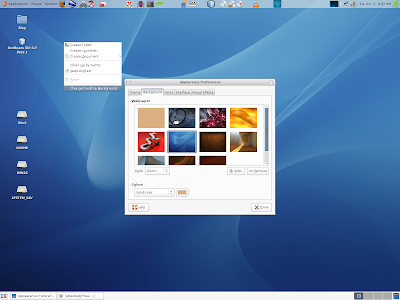
Someone asked in the last post how to change features on the desktop. I'd like to show folks, both old and new, how easy it is on this latest version. Move the mouse to somewhere on the desktop. Right click to bring up the desktop menu, and select "Change Desktop Background." This brings up Appearance Preferences, with the Background wallpaper tab selected. Appearance Preferences under Gnome 2.20 combines all the individual applets from earlier versions of Gnome that could effect the desktop appearance, into one convenient tool. To change the window border, icons, and general theme, select the Theme tab. On the main Theme window you can select a specific theme or you can fine tune the one currently selected. To fine tune a theme click the Customize button at the bottom. This will bring up the "Customize Theme" dialog. If you wanted to use the latest Gnome theme you downloaded from Gnome Looks, then you'd click on the Install button or else drag-and-drop the ...

Ubuntu 7.04 upgrades to Ubuntu 7.10

In between chores around the house (wash, mowing, cleaning, shopping, and walking Max) I upgraded rhea from Ubuntu 7.04 to 7.10. I used the method documented on the Gutsy Gibbon page. It was almost totally automatic. I had to come back to the computer between tasks to answer a few dialogs asking questions along the way. The questions themselves were simple and straightforward. When the upgrade was finished the system was running Ubuntu 7.10 Beta 1. First, the good news. It was unbelievable that the system upgraded and ran at all, let alone exactly as I had configured it before the upgrade. After reading one horror story after another in various fora about how Ubuntu upgrades had failed, I wasn't sure how it would all finish. But finish it did. Java is up to Java 6 Update 3. I had to check both synaptic as well as 'java -version' just to be sure. This is one upgrade higher than what is available from Sun's site itself. Furthermore, NetBeans 6 Beta 1 ran with the earlier...

openSUSE 10.3 RC1: ATI drivers installed

Image
I finally installed the latest ATI drivers on openSUSE 10.3. I generally followed the core directions normally given for installing under openSUSE 10.2, and had no problems. I'm going to document the fast way I did this. Download the ATI binary drivers and put them in a working directory. It doesn't matter where. Open a shell Change to the working directory where you stored the downloaded drivers. Run the download as follows: bash ati-driver-installer-8.40.4-x86.x86_64.run --buildpkg SuSE/SUSE102-IA32 There is no SUSE103-IA32. Don't be concerned with using 10.2. And note that this is all one line. Change directory to /usr/src/packages/RPMS/i386 Type 'rpm -hiv fglrx_7_1_0_SUSE102-8.40.4-1.i386.rpm' Type 'aticonfig --initial' Reboot Once rebooted and logged back in you might want to run the following command inside a shell. wbeebe@europa:~$ fglrxinfo display: :0.0 screen: 0 OpenGL vendor string: ATI Technologies Inc. OpenGL renderer string: RADEON 9700 PRO ...

NetBeans 6 Beta 1 running on a constrained system

Image
In an earlier post dinesh left a comment complaining about the poor performance of NetBeans 6 on his system as compared to earlier versions. This led me to upgrade my version rhea, the Ubuntu 7.04 test system, to NetBeans 6 Beta 1 from Milestone 9. I also upgraded to Java 6 Upgrade 2. I then started NetBeans 6 and ran some simple tests to see how well it performed on the desktop. rhea has "only" 512MB of DRAM like dinesh's system. The processor is a single-core 32-bit Athlon XP 2500+ running at 1.8 GHz. dinesh's was a dual-core Pentium 4. Running NetBeans with Firefox is a mistake, especially if Firefox has been up for some time and has multiple tabs open. The keyboard response was horrible. This may be part of dinesh's issues with regards to performance. Of course running anything substantial with Firefox on this machine has been horrible, which is a shame. Once Firefox exited the response in NetBeans 6 was quite good. Even after restarting Firefox the response ...

openSUSE 10.3 RC1: Things are beginning to work

Image
Remember when I first installed RC1 ? And some key features were not working? Like OpenOffice? Tonight, while plunking around openSUSE under KDE, I decided to switch the desktop from KDE to Gnome, just to try Gnome out. So I downloaded all the bits I normally install for Gnome and logged back in under Gnome. Cool. Then I went back and started to look at the list of applications that failed to install. I pulled up YaST and started to install those applications, one at a time. As I installed each application I'd then attempt to start oowrite (OpenOffice Writer). When I installed xli, and then tried to start oowrite, lo and behold it started up and ran. Then I tried all the other applications in the OpenOffice suite, and they worked as well. I always had the feeling that buried somewhere in one of those uninstalled packages was some library or setting that was causing OpenOffice to exit with the message "no suitable windowing system found, exiting." And one other observation...

openSUSE 10.3 RC1 - Not quite there yet for me

Image
I downloaded three ISOs; the Gnome and KDE Live CDs, and the binary DVD. I burned all three and tested three machines with the two live CDs. Test Machines Gateway M680 with 2.13 GHz Pentium M, 1GB memory, ATI Mobility X700 Gateway M685 with 2 GHz Core Duo, 2GB memory, nVidia Go 7800 DIY with 2GHz Athlon XP 3200+, 1GB memory, ATI 9700 Pro All three machines currently dual boot between Windows XP SP2 and openSuse 10.2. All features work on each platform. General Results All Live CDs booted successfully on all three platforms. Every major subsystem worked including video, audio, hard drives, CD/DVD drives, networking (note exceptions below), and USB devices. The graphic rendering on the notebooks in was particularly crisp, especially with regards to text. It should be noted however that the use of DejaVu Condensed is the preferred font for both Sans and Sans Serif for just about any rendering, especially on the Firefox browser. DejaVu gives the best user experience when rendering complex ...

Nano-review of Ubuntu 7.10 alpha 5, part 2

Image
After booting this release of Ubuntu on a machine with an ATI graphics card, I moved over to my other box that has an nVidia-based Gigabyte 7600 GS AGP video card . I had no idea how Ubuntu would handle this card in a live situation. When I installed 7.04 on the machine it had, at the time, an older ATI 9600 SE video card. I replaced the ATI with nVidia after 7.04 was fully installed to take advantage of the nVidia graphics drivers. The earlier experience with 7.10 and the ATI 9700 Pro was surprisingly good. The free driver gave me full resolution, and the desktop graphics effects were enabled and working. I was expecting a similar experience with the nVidia card. Unfortunately, it was not to be. When 7.10 booted, the desktop was in stock 1280 x 1024 resolution, and even though the Desktop effects tab showed normal effects, there were no effects. What immediately showed up on the desktop after boot was a notice that restricted drivers were available (see below). I found it odd that the...